GNOME

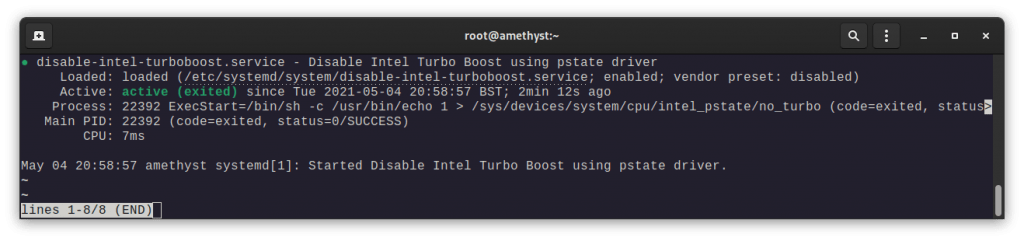
disable-intel-turboboost service status

How To: Disable Intel Turbo Boost on Linux using systemd + intel_pstate

My laptop has issues with coil whine, resulting in me needing to disable Intel Turbo Boost. I usually use a GNOME Extension like CPU Power Manager but at the time of writing that extension isn’t compatible with GNOME 40, and isn’t much use for non-GNOME users. Firstly elevate to sudo with sudo -i, then: nano […]

How To: Disable Intel Turbo Boost on Linux using systemd + intel_pstate Read More »

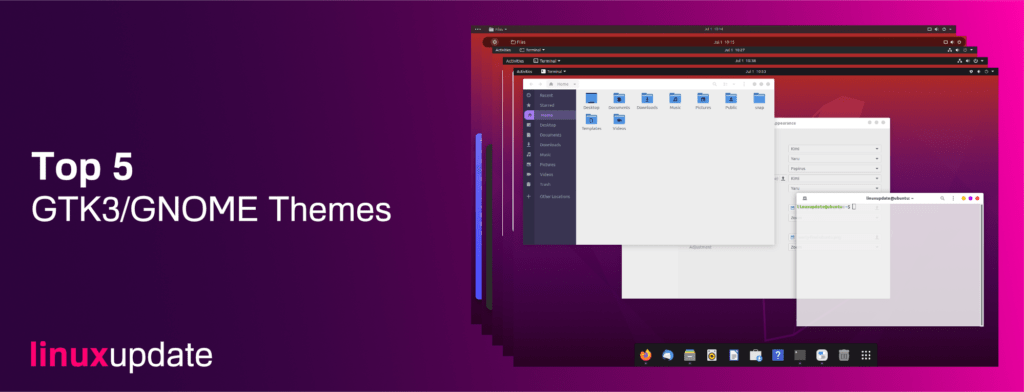
Top 5 GNOME Themes: November 2020

This month we’ve picked some of the best looking GNOME/GTK3 themes available from Pling. Almost every theme we’ve picked has dark/light variants and some have coloured variants too. We’ve used the Papirus icon pack available here. Venta X Dark Screenshot: Download URL: https://www.pling.com/p/1396612 Ant Screenshot: Download URL: https://www.pling.com/p/1099856/ Orchis Screenshot: Download URL: https://www.pling.com/p/1357889/ Materials Original

Top 5 GNOME Themes: November 2020 Read More »

5 Things to do after installing Ubuntu 20.10 Groovy Gorilla

Canonical has released Ubuntu 20.10 Groovy Gorilla, while not much has changed over 20.04 it does bring us a handful of new things (namely GNOME 3.38.0, ZFS is no longer classified as experimental, and the Linux Kernel 5.8). 1. Install a new theme and icons 20.10 might have only just been released, but Ubuntu’s UI

5 Things to do after installing Ubuntu 20.10 Groovy Gorilla Read More »

Install a network printer and scanner on Linux

Linux support for printers straight after an install is excellent, even on a FOSS-only distro like Fedora. To add your network connected printer, I’d recommend finding instructions from the printer manufacturer but failing that (or if you don’t want to download their driver package), you can probably get it working without downloading a single driver.

Install a network printer and scanner on Linux Read More »